Every activity has a number. Every number has a state.
Fabrimap is the fabrication and installation portal for pipe spools and structural steel. Every cut, weld, bolt-up, test, package and permit is a numbered record with a state, stamped with who did it and when, from the take-off in the shop to the install work package, the shutdown scope and the turnover on site.
| Weld | Joint | Welder | Inches | State |
|---|---|---|---|---|
| BW-1 | PR-A-B-3 ↔ PR-A-B-4 | W-103 | 51.2 | Accepted · RT |
| BW-2 | PR-A-B-4 ↔ PR-A-C-1 | W-103 | 51.2 | Welded |
| FW-7 | M6 ↔ M5 cleat | W-101 | 18.9 | Fit & tacked |
| FW-8 | M6 ↔ M7 cleat | — | 18.9 | Open |
| BW-3 | PR-A-C-1 ↔ PR-A-C-2 | X W-101 | 51.2 | Rework |
One register. The whole job reads from it.
A project package holds the assemblies, the parts, the drawings, the connections and the 3D model. Everything below is a view of that package, so a stamp in the shop is a stamp everywhere, and nothing is typed twice.
Spool sheets and shop drawings
One sheet per spool or assembly on the Fabrimap template: cut lengths, numbered welds and pieces, BOM, weld summary, revision block. Stamped drawings print with every record on them.
Cut list, heat numbers, receiving
Every cut length audited against the sheet. Material received by QR label, heat numbers carried from the stock to the weld. A warehouse list for whatever is in view.
Weld log and weld map
Pieces staged by bay; fit-up recorded with the welder and heat each side; weld-out, WPS and repairs tracked apart from first-time work. The detailer's weld map replaces the estimate with the real welds.
Stamps, NDE and holds
Visual, dimensional and NDE acceptance stamped on the drawing with initials and time. The inspection and test plan sets the hold and witness points; a rework weld keeps its history.
Test packages and coating
Quality-released spools grouped into test packages by pressure, test reports attached, painting recorded, laydown assigned, and the packing slip with the truck it left on.
Assemblies, modules, bolt-ups
Steel runs through the same stages. Assemblies combine into shop preassemblies or site build-ups; every bolted joint has a torque sheet for the life of the project.
Install work packages
Group spools and assemblies into IWPs, see the field weld each needs, release a package when its documents, materials and scaffold are clear, and earn progress by the rules of credit.
Constraints before the crew
Bag and tag the kit and build the scaffold package from the model with its material list, so a package goes to the field only when the crew can work it.
Permit sheets and permit packages
Every work item carries its permit: requested, issued, holder and time. The permit sheet prints with the IWP, and a permit package collects the sheets for a shift or a shutdown so nothing starts without its paper.
Vessel blinding, bolt torque, PCC-1
Blind lists per vessel with installed and removed stamped by name and time, isolation walked on the model, bolt-torque records for every flange, and ASME PCC-1 training for the crew doing the bolting.
Shutdown scope
Pick the valves and spools for a shutdown straight off the 3D model, review the scope, and run it through the same cut, weld and quality records as new work.
The model as the map
Tekla or IFC model in the browser. Click an item to open its drawing, draw a package box round what you circled, colour the model by install status, follow the camera tag by tag.
Every piece carries its number
A printable QR tag per piece, spool, assembly and receiving line. A scan at the laydown or the work face records the next stage from a phone.
Progress you can hand over
Install turnover with every item's status, crew, hours and dates; progress by CWP, system and package; the last seven days and the holds, as a print page or CSV.
Bottom-up estimate
Cut inches, holes, weld inches by fillet size, painted area and tonnes from the register, priced by output per hour, material by section, with the tonne-factor check.
Built-in training
A manual with pictures for every stage, written for the crew, so a new fitter or inspector is stamping correctly on their first shift.
Logins by role and project
Your shop's administrator issues logins; a client or a subcontractor can be limited to one project. Every record carries the initials of who made it.
From the model to the work face, on one demo plant.
The UNI-NRG demo project: 20 isometrics, 10 steel assemblies and 393 pieces, placed by their own coordinates in one model. Below, the portal makes an install work package and a scaffold build from that model, and prints the packs the crew takes to the field.
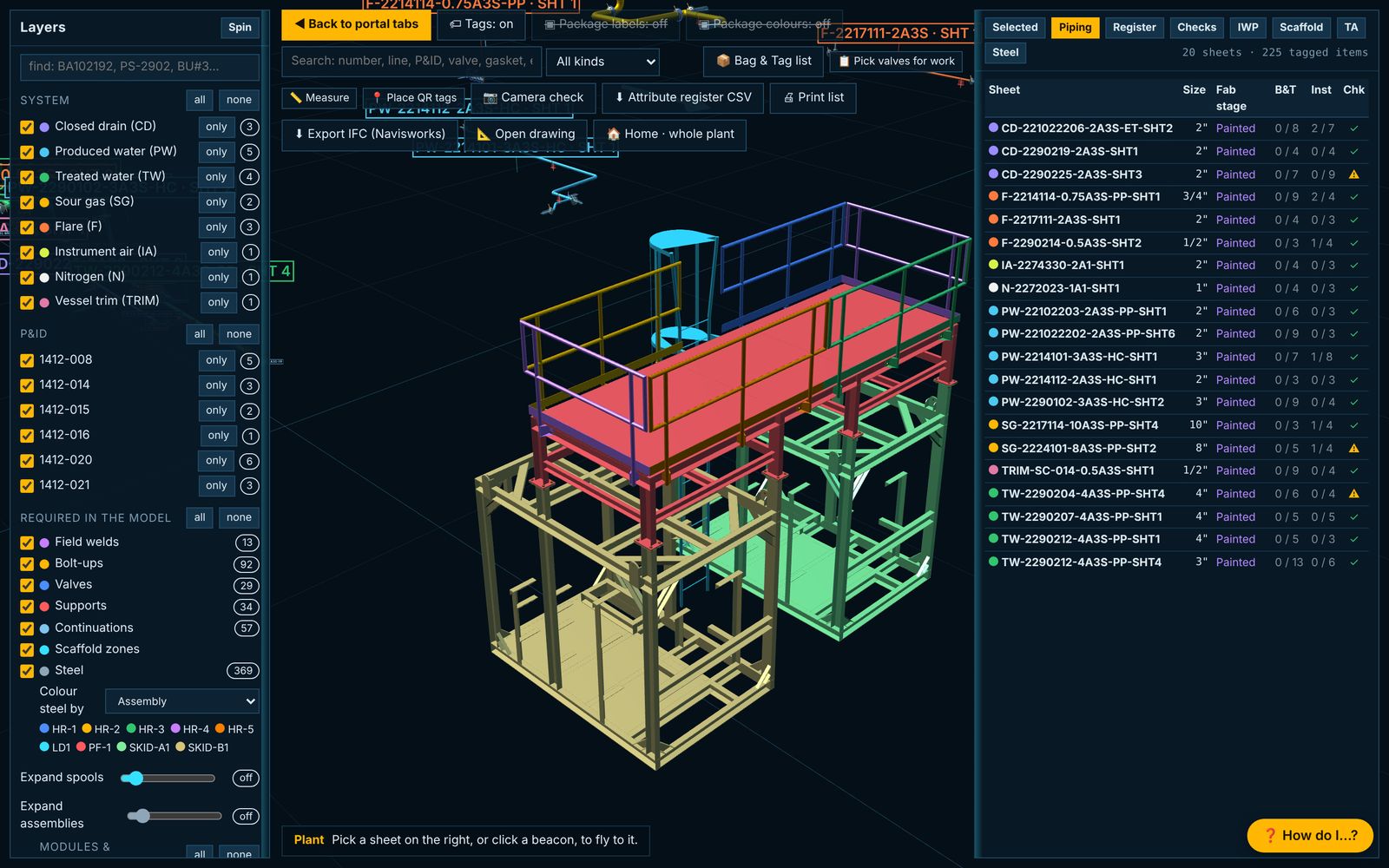
The model as the map
Tekla or IFC steel and the piping read from the isometrics, in one browser view. Steel coloured by assembly, pipe by system; every item carries its sheet, its stage and its tag. Click a sheet on the right and the camera flies to it.
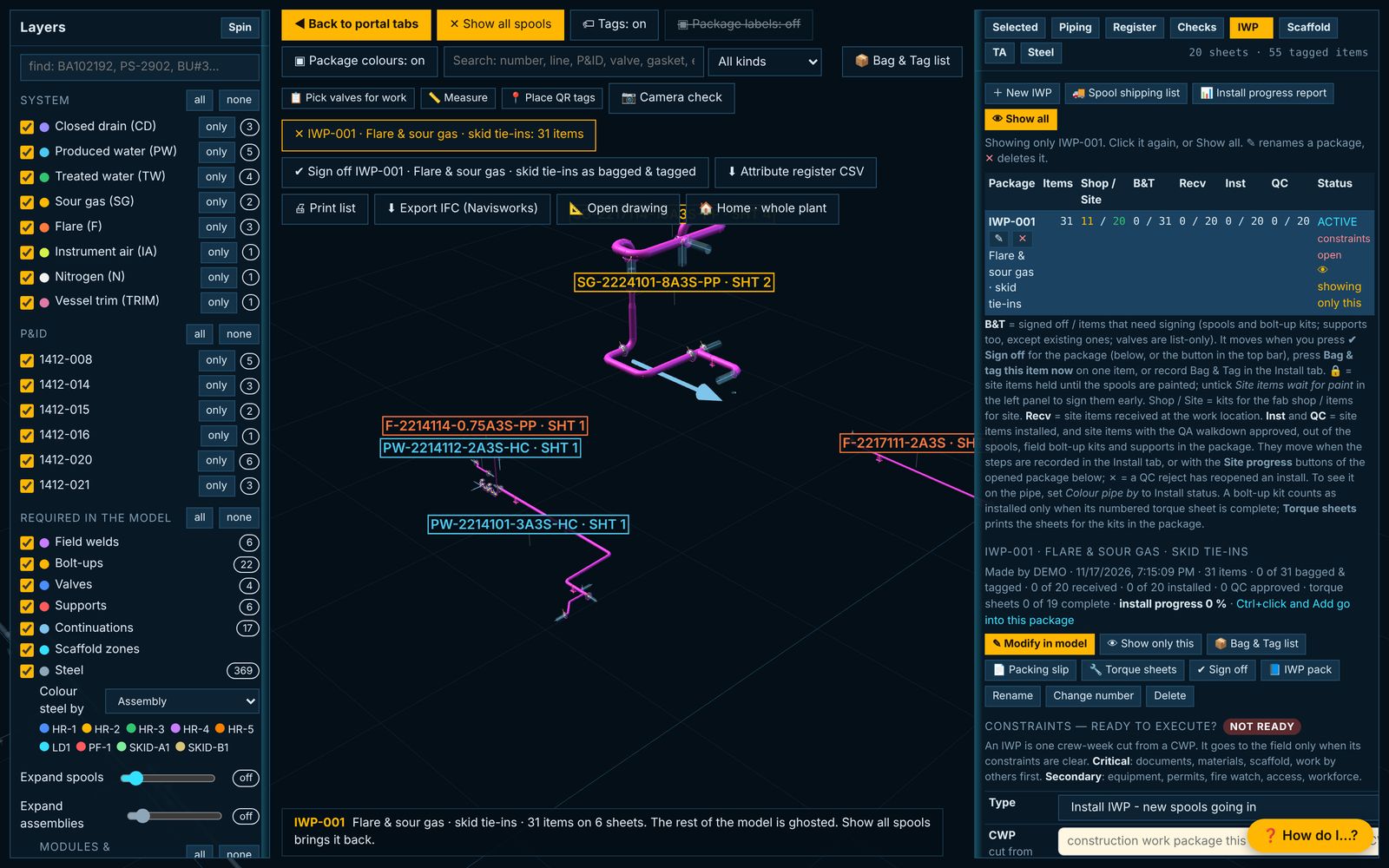
Circle it, name it, clear the constraints
Circle the spools, field bolt-ups and supports in the model and press New package. IWP-001 holds 31 items on six sheets. The constraints card says what is still open: documents, materials, scaffold, work by others, permits.
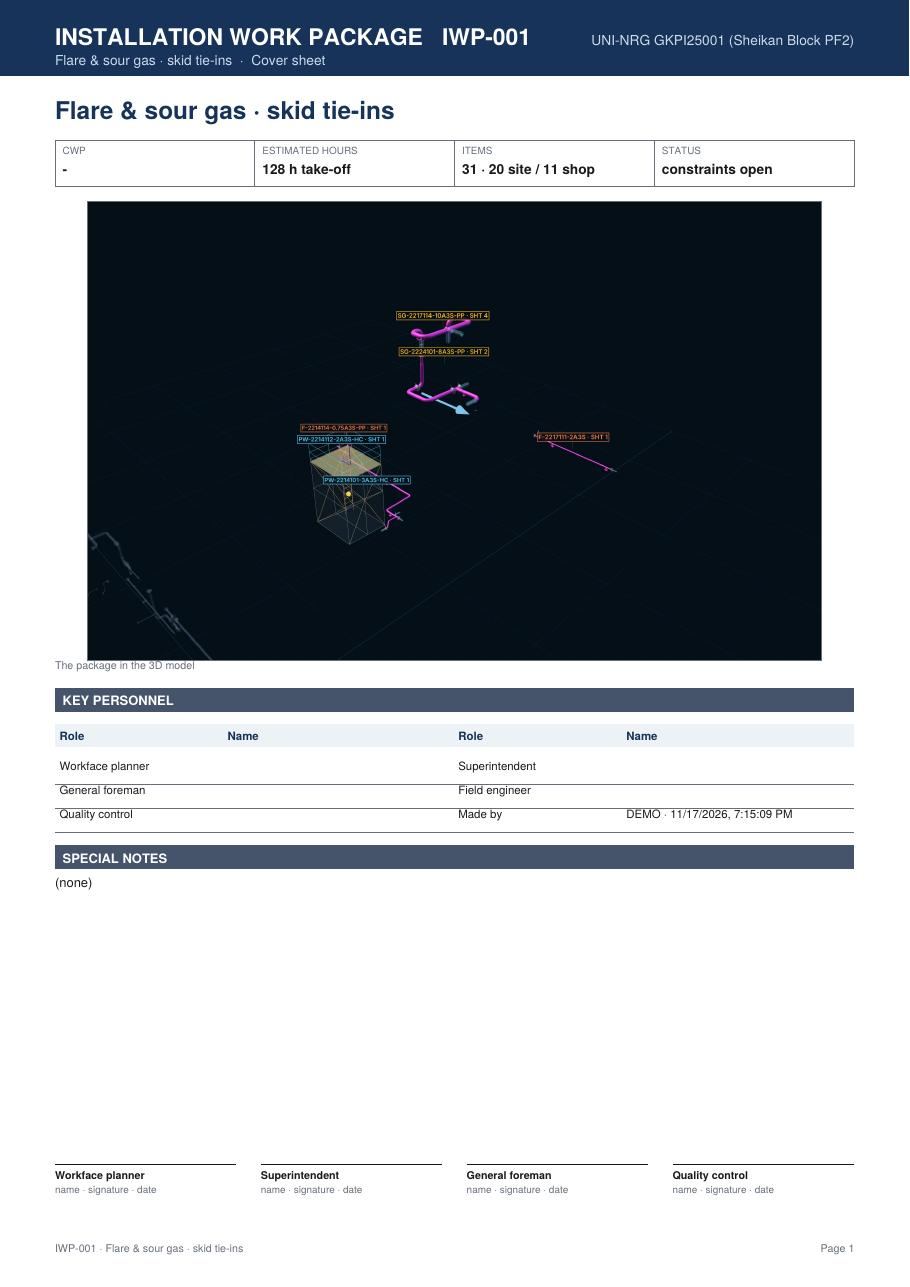
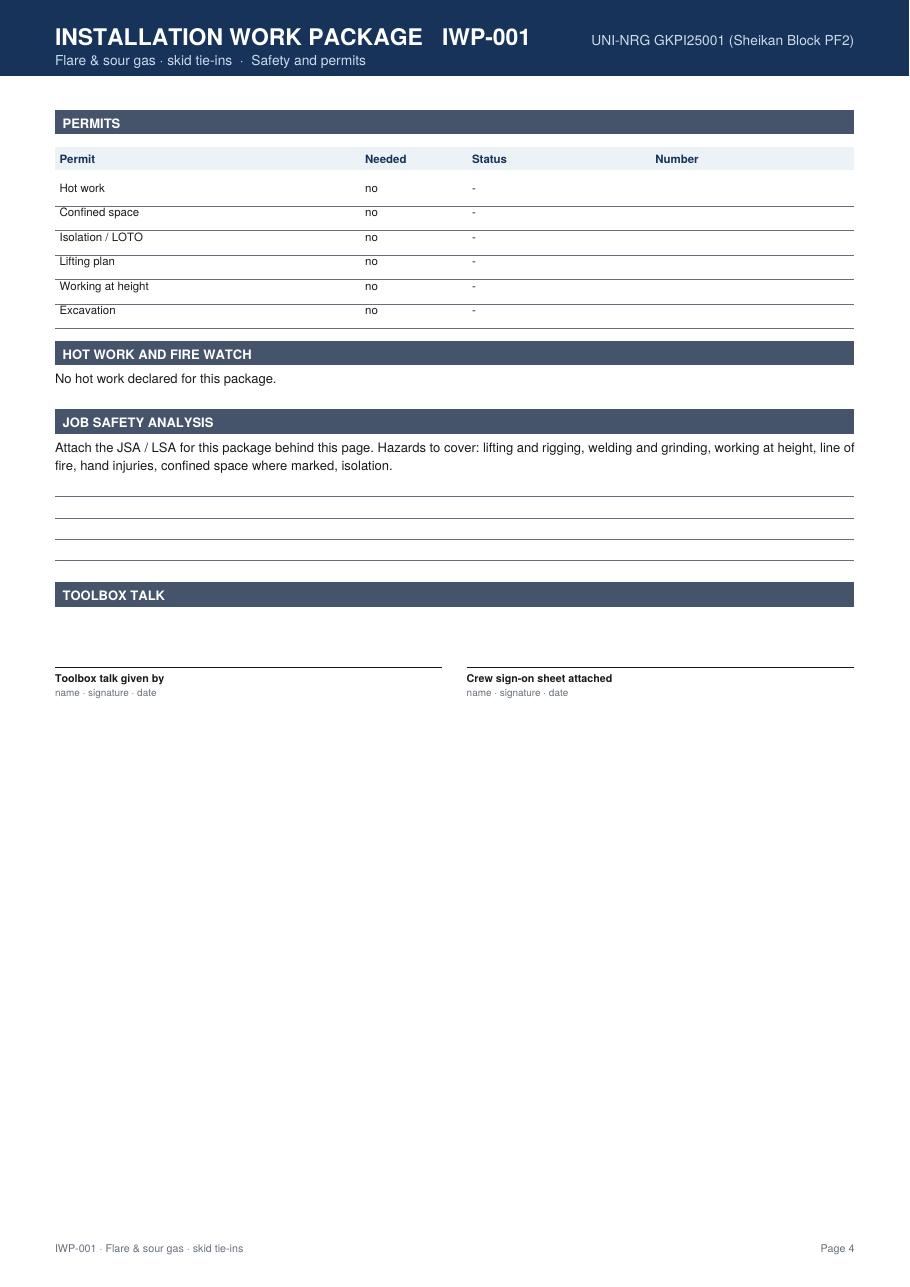
The pack the crew takes out
One PDF: cover with the picture from the model and the estimated hours, scope and sequence, the constraints, permits and fire watch, JSA and toolbox talk, then every drawing in the package with its sheet.
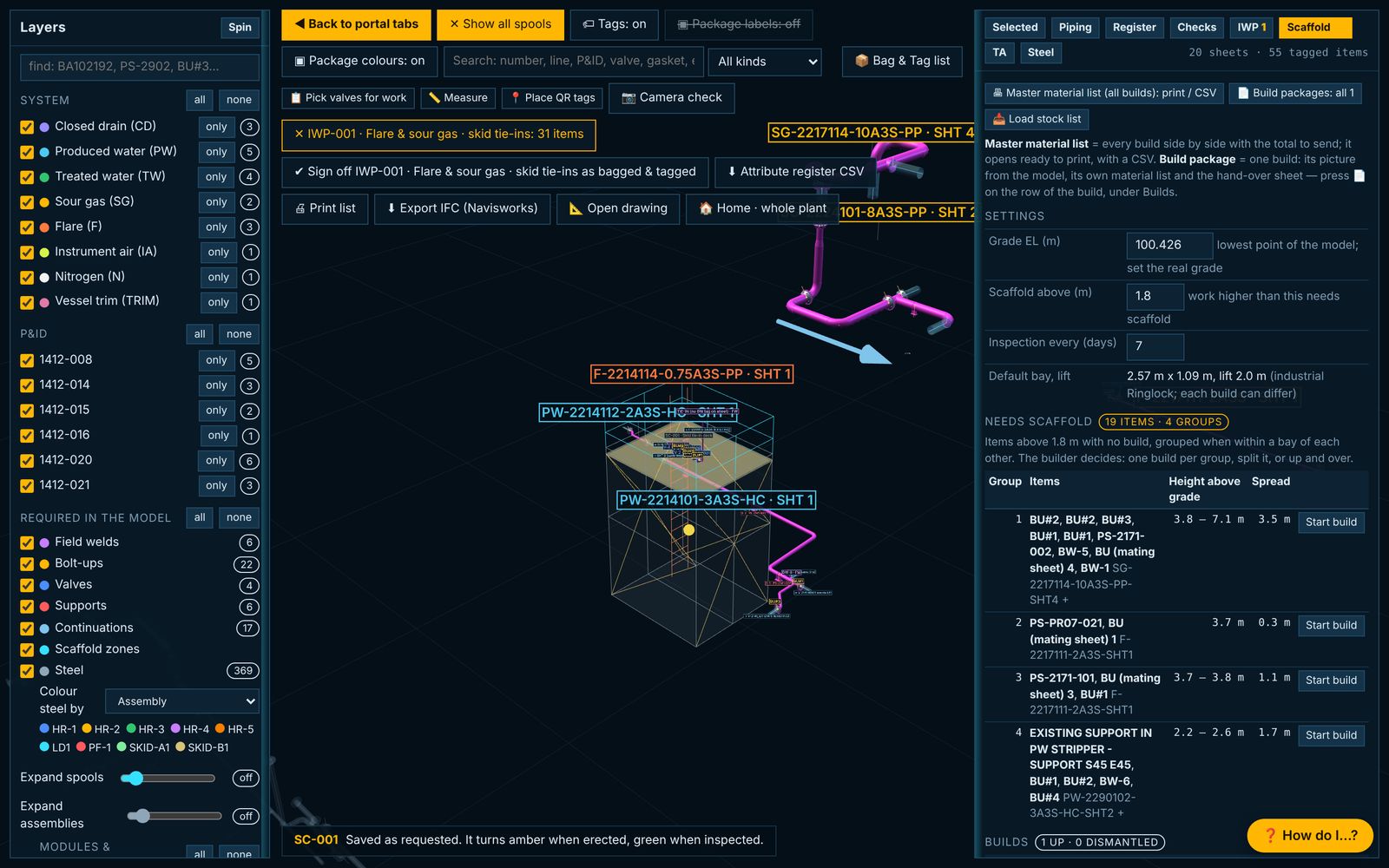
Every item above 1.8 m needs a build
The portal lists the field welds, bolt-ups and supports above grade, grouped by bay. Start build draws the Ringlock frame round them: bays, lifts, platform height, ties. SC-001 serves eleven items at the flare tie-in.
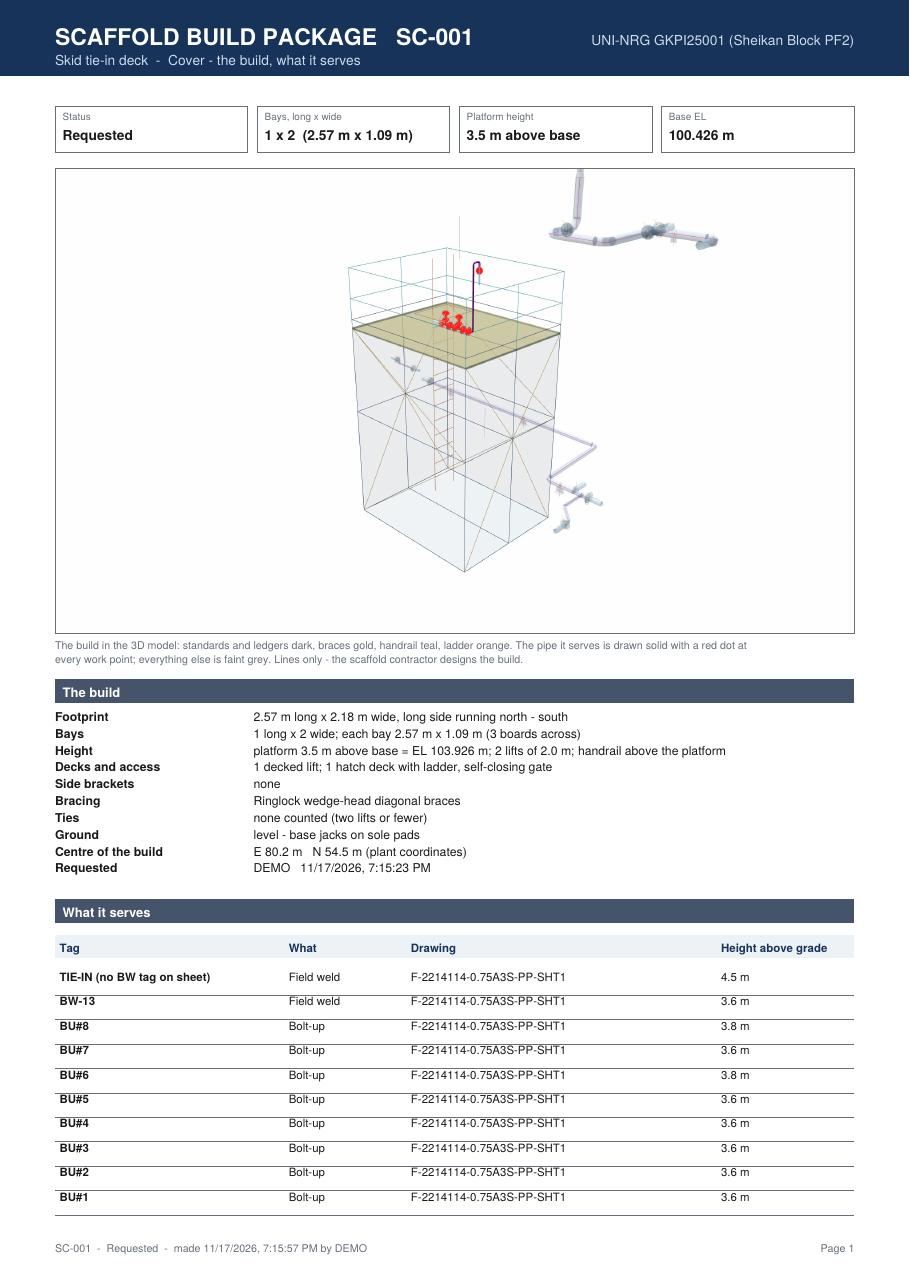
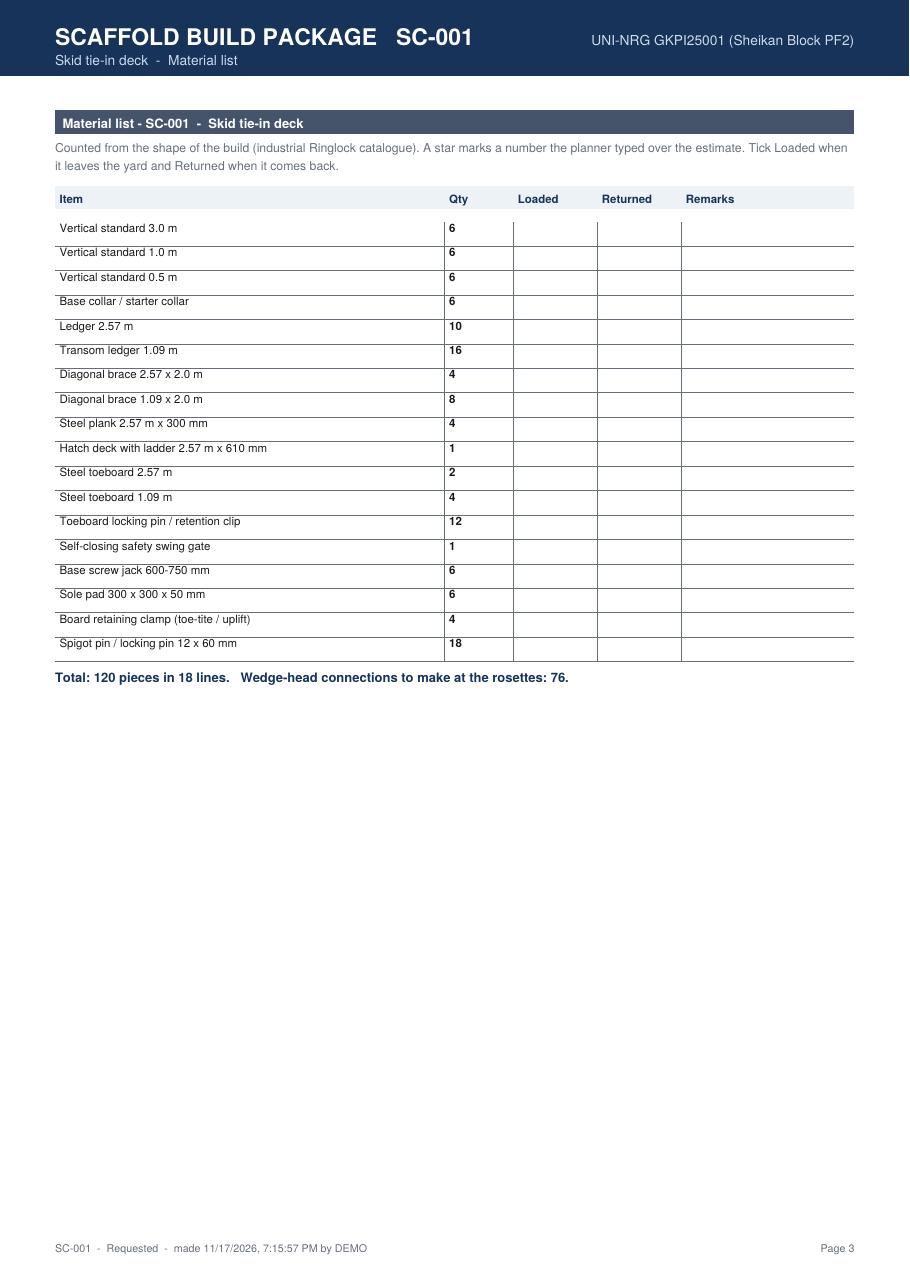
Picture, hand-over sheet, material list
The build as drawn, what it serves and at what height, then the material counted from the shape of the build: 120 pieces in 18 lines for SC-001, with columns for loaded and returned. A master list adds every build up for the yard.
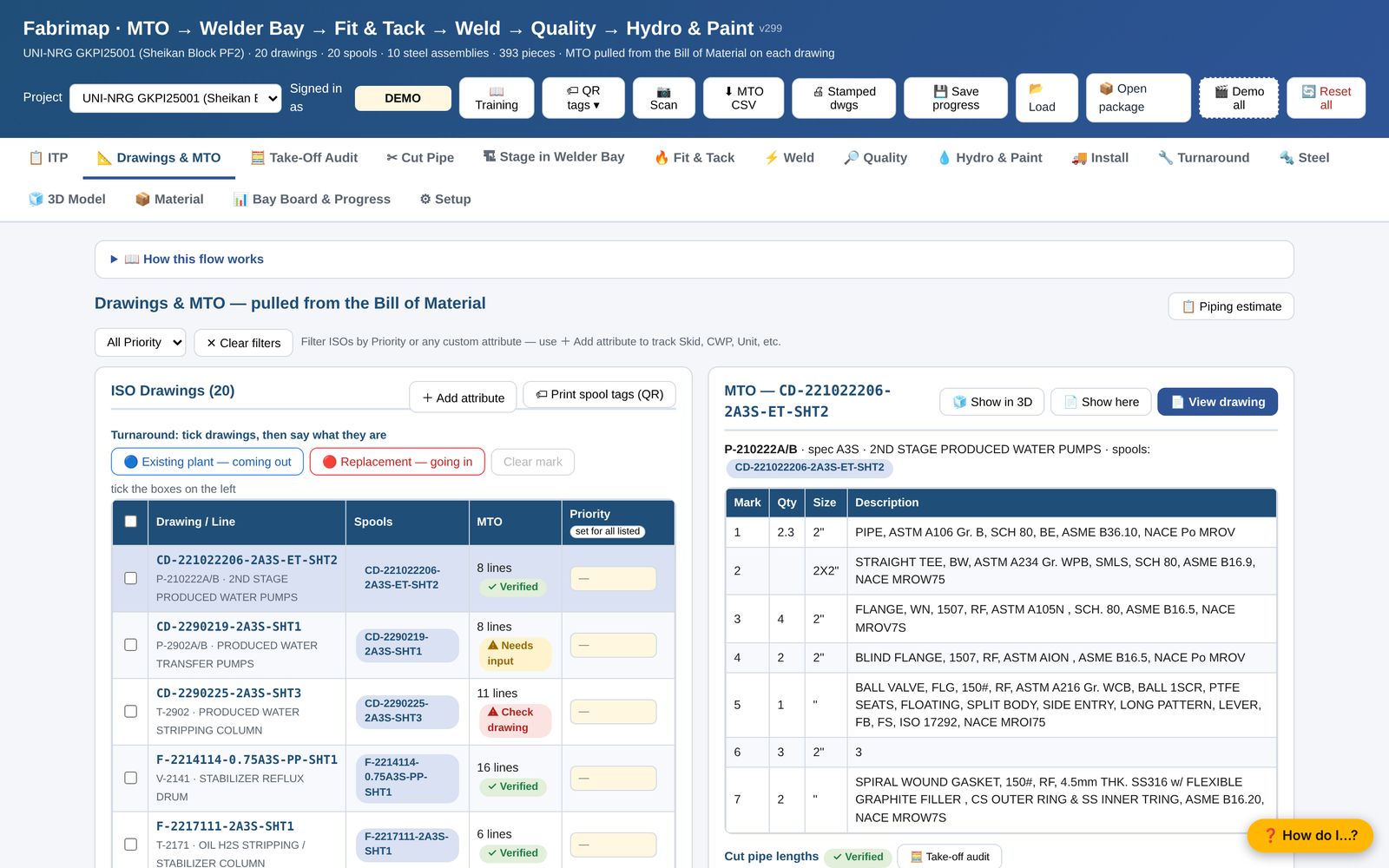
The register the shop works from
Every isometric with its spools, MTO lines and priority; the take-off for one drawing beside it, with the cut lengths audited before anything is cut.
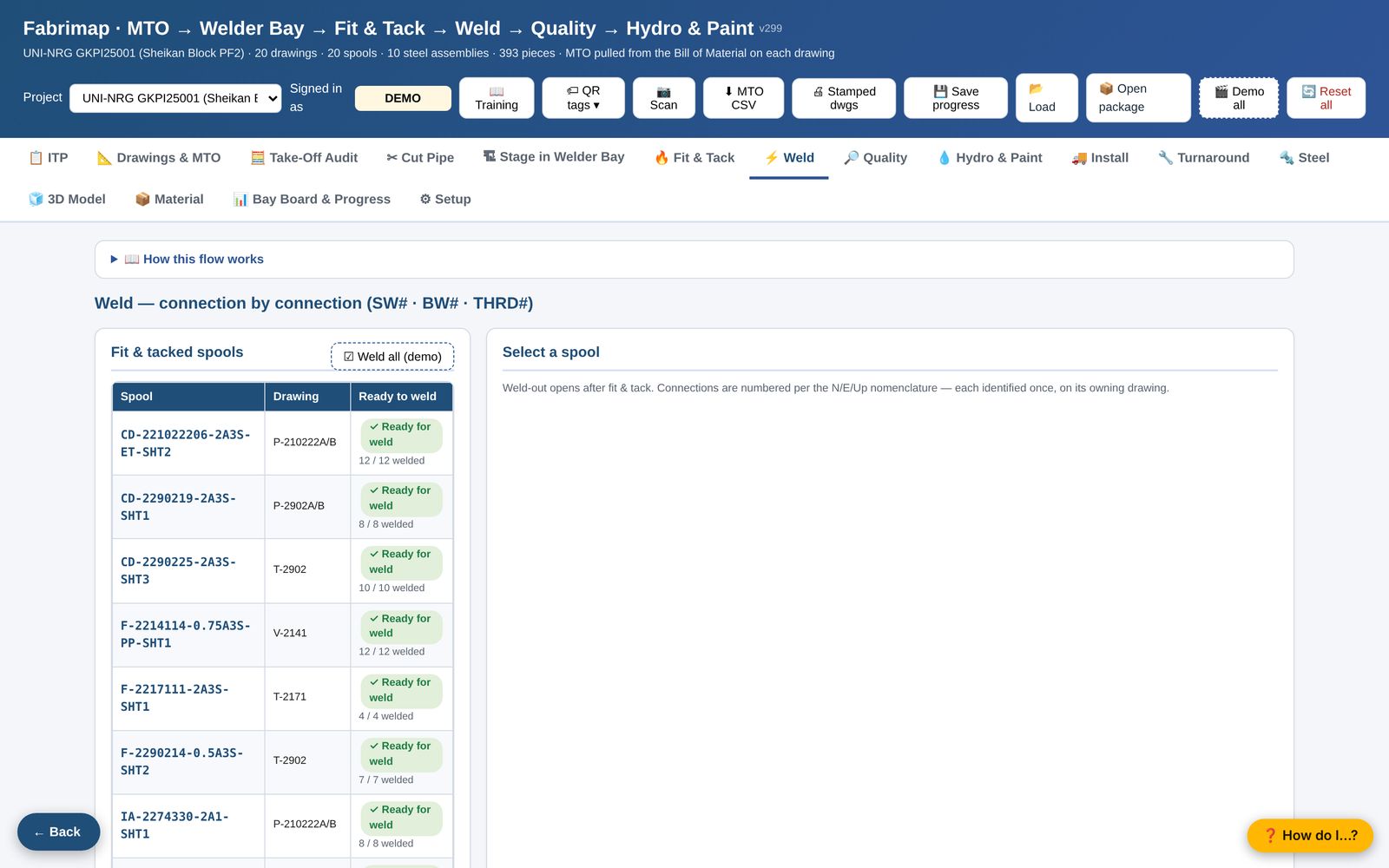
Welder, heat and WPS on every joint
Fit-up and weld-out recorded by the welder with the heat number each side. Repairs are tracked apart from first-time work, and the log is what quality stamps against.
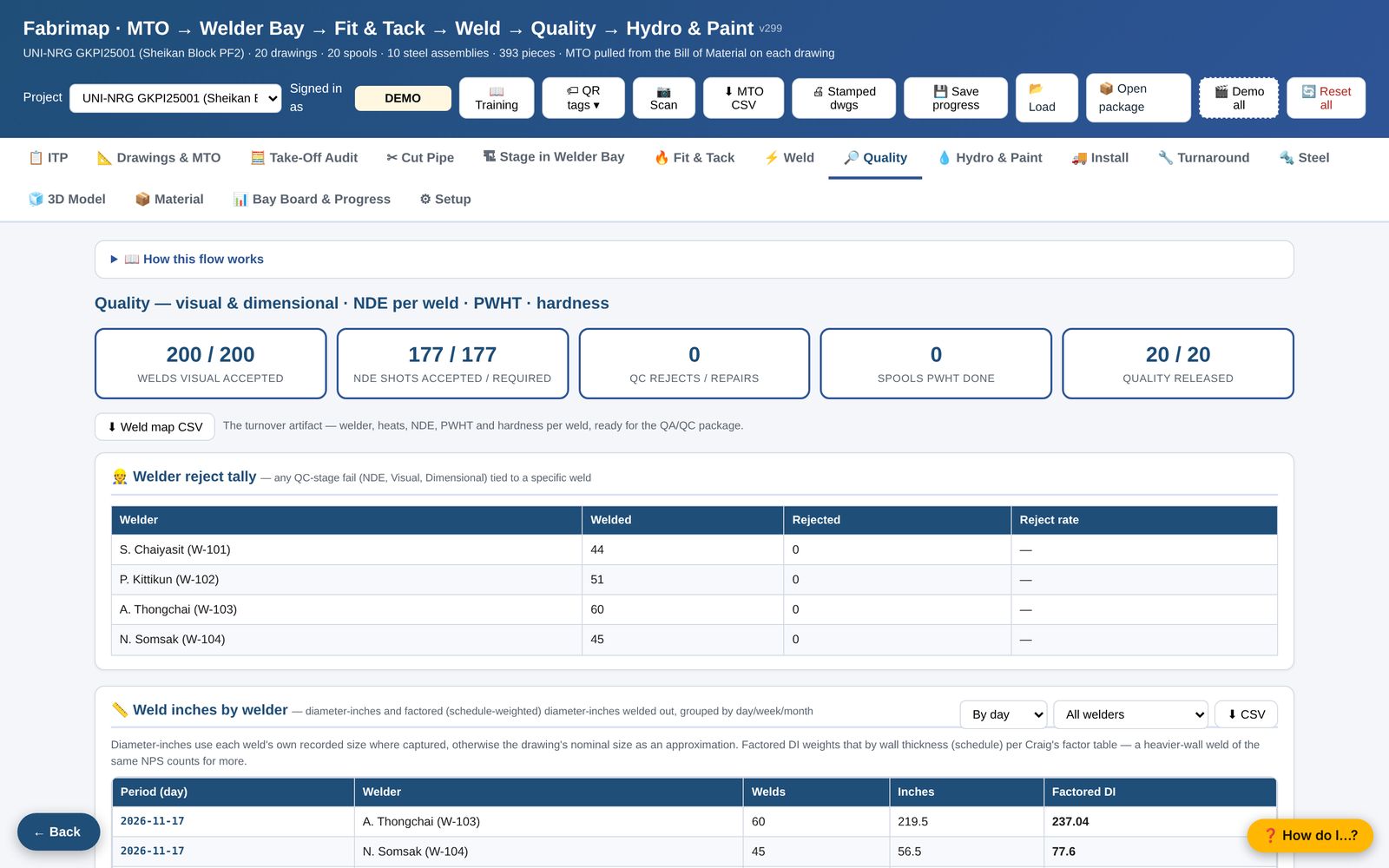
Stamps with initials and time
Visual, dimensional and NDE acceptance per drawing, with the ITP's hold and witness points. A rejected weld goes to rework and keeps its history.
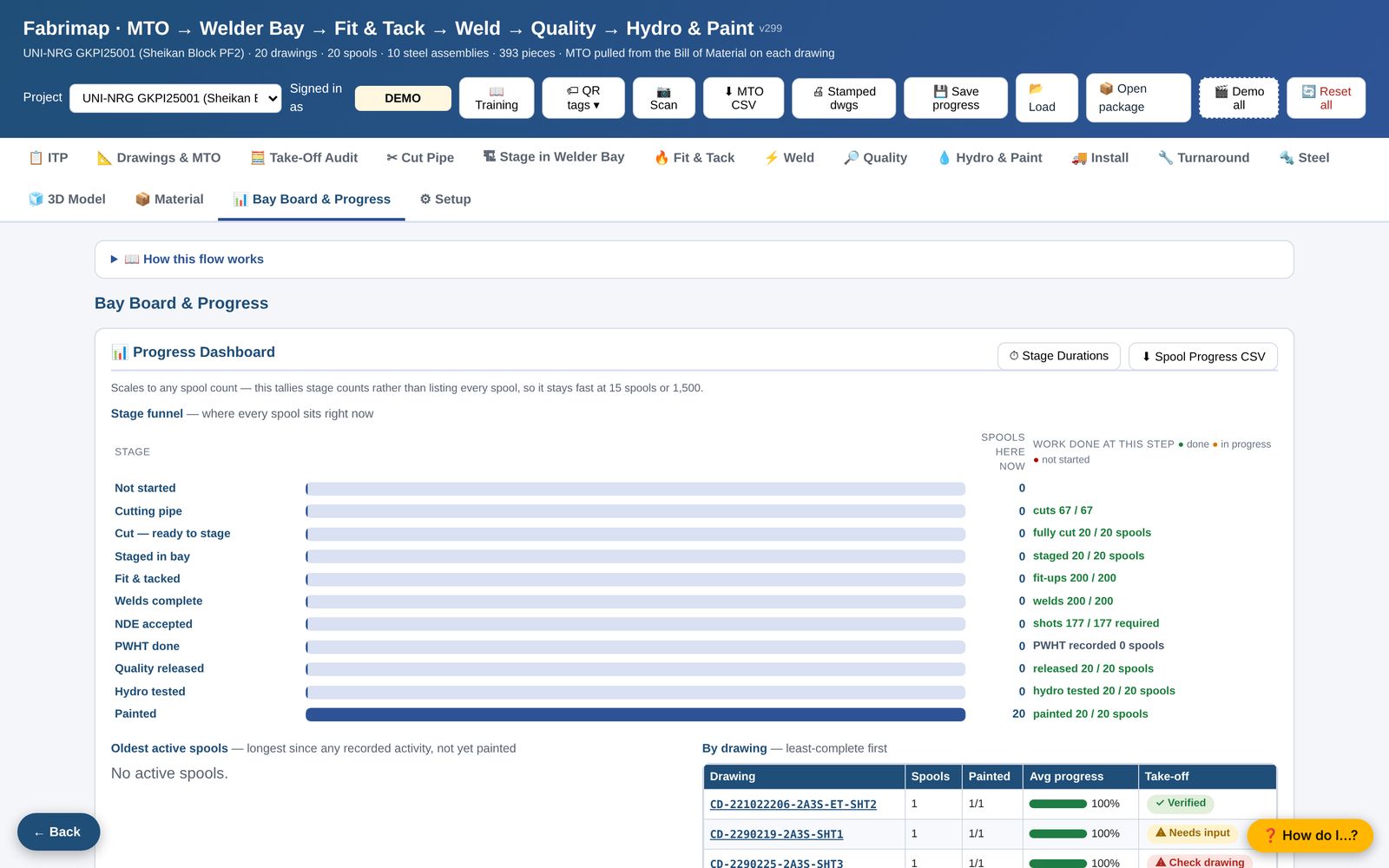
Progress you can hand over
Stage counts by bay, the last seven days of stamps, holds and rework, by CWP and system. The same figures print as the turnover report or export as CSV.
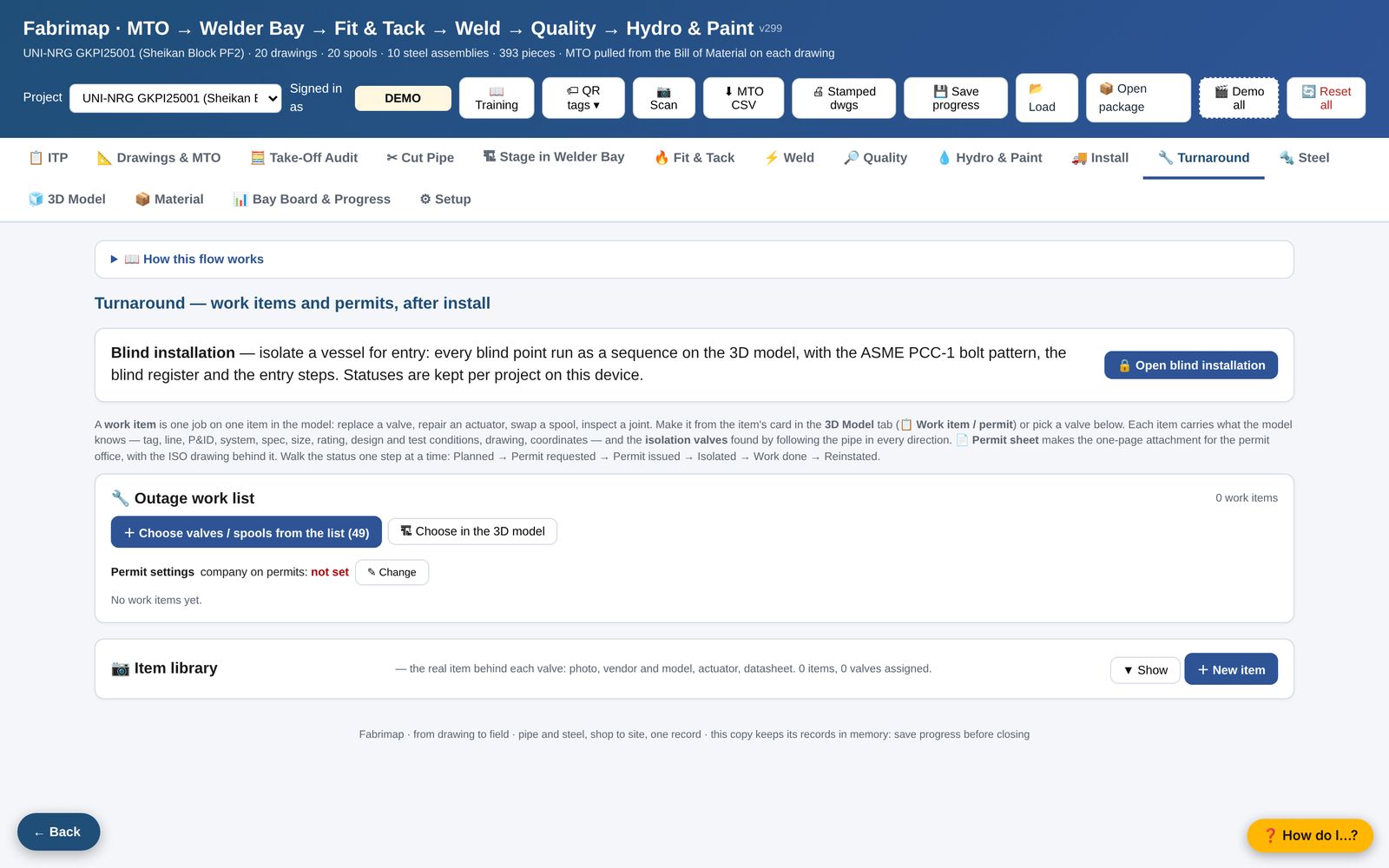
Shutdown scope, permits and blinds
Pick the scope off the model, give every work item its permit, and walk the vessel blind list installed and removed by name and time, with the bolt-torque records and PCC-1 training alongside.
Assemblies through the same stages
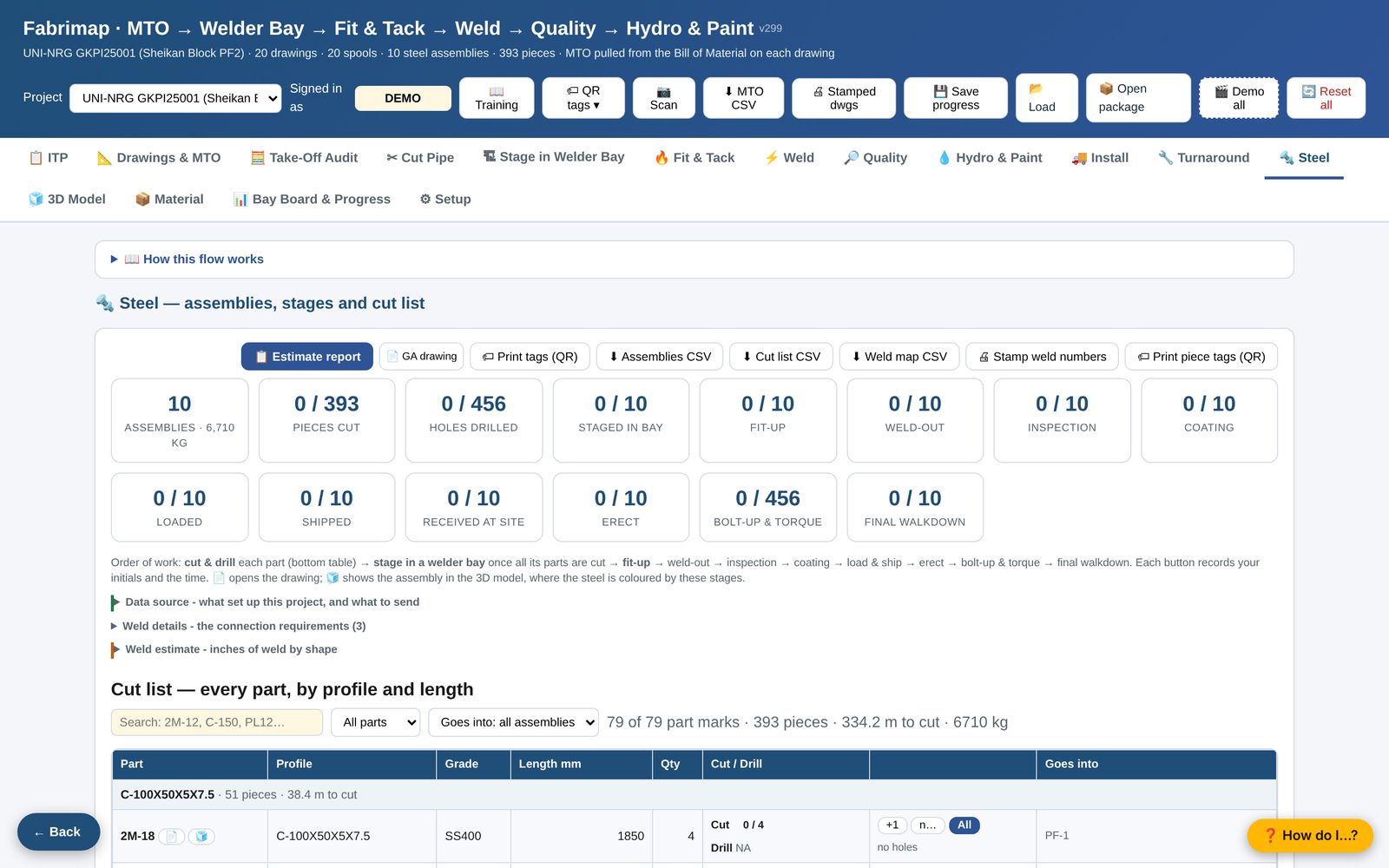
Cut, drill, fit, weld, paint and erect per assembly, modules made from circled steel, and the estimate priced by output per hour with the tonne-factor check.
Five states. Same colours on every sheet.
A fitter, a welder, an inspector and a client all read the same sheet. The colour says where a weld is; the label says who did it and what test it carries.
Weld labels read BW-3 · W-103 · RT: the weld, the welder, the test. A cut-out weld reads X W-101 so the record keeps the welder who removed it.
Priced from the register, not from a tonne factor.
The estimate counts what the shop will actually do. A thousand kilograms of clips costs more to cut and handle than one beam of the same weight, and the estimate says so. The tonne factor is kept as the check, not the method.
| Activity | Qty | Unit | Rate | Hours |
|---|---|---|---|---|
| Cut beam (saw) | 638.2 | cut in | 40 in/hr | 16.0 |
| Cut plate (burn) | 1,219.8 | cut in | 30 in/hr | 40.7 |
| Handle, light < 50 kg | 134 | pcs | 12 pcs/hr | 11.2 |
| Drill | 160 | holes | 2.5 holes/hr | 64.0 |
| Shop weld 8 mm | 1,567.2 | in | 33.3 in/hr | 47.1 |
| Paint, prep + coats | 46.4 | m² | 3.3 m²/hr | 14.1 |
| Erect & install | 2.16 | t | 8 hr/t | 17.3 |
| Labour · check 101 hr/t | 218.2 | |||
Every rate is the shop's to change
- Rates are output per hour, the way a foreman thinks: holes an hour, inches of weld an hour, square metres an hour. Change one and the estimate re-prices; the quantities stay.
- Weld inches are built joint by joint from each member's section and the connection detail. The audit shows every joint behind every total.
- Material is bought by weight and priced by section, plate separate from beams. Freight and markup are lines, not percentages hidden in a rate.
- The hours-per-tonne check sits under the total. If it falls outside the band you hold for that kind of work, the line responsible is on the page above it.
Figures shown are an example steel package with seeded rates.
We do the work, on Fabrimap.
You do not have to run the portal yourself to use it. Send the drawings and get back the deliverables, with the job loaded in Fabrimap so your shop and your client can watch it move.
Pipe spool drawings
From your isometrics, CAD or PCF files: one sheet per spool with cut lengths, numbered welds, BOM and cut list, split to your shop and shipping limits.
- Send
- Isometrics with field welds, piping spec, support details
- Get
- Spool sheets, cut list, MTO, weld map, query list
Structural steel detailing
Assembly and single-part shop drawings, bolt and material lists, detailed from your design drawings and typical connections, for industrial plant work.
- Send
- Design drawings, connection design, piece-mark convention
- Get
- Shop drawings, lists, the register loaded for the shop
API 650 / 653 tank estimating
New tanks and repairs, estimated bottom-up from the datasheet: shell courses, bottom, roof, nozzles, appurtenances, testing and coating, with every assumption written down.
- Send
- Datasheet or drawings, nozzle schedule, site conditions
- Get
- Register, priced estimate, tonne check, assumptions
What to send, and what happens next.
Structured files load the project automatically. Flat PDFs take more hand work but still work. No model at all? Fabrimap builds the register from the drawings.
For a piping job
- IsometricsIssued for construction, one per line, field welds marked. PDF, DWG, or PCF / IDF from your design system.
- Piping specificationClass sheets, so wall thickness, fitting type and rating come from the spec.
- Limits and conventionsSpool size limits for your shop and truck; your spool and weld numbering if you have one.
For a steel job
- The modelTekla or other, as IFC, exported with bolts and holes if you can. Gives geometry and plant coordinates.
- The reportsAssembly list and part list: mark, profile, length, grade, quantity, weight. CSV, Excel or PDF.
- The drawingsGA and assembly drawings as PDF, and the weld report if the detailer has one.
Send two or three drawings. See them back in Fabrimap.
The fastest way to judge the portal is to see your own job in it. Send a few isometrics or one steel assembly and we will load them and return the sheets.